Intuitive web interface to manage models, generate content, track history, and monitor system performance.
Your AI command center. See available models, system status, and quick access to all features.
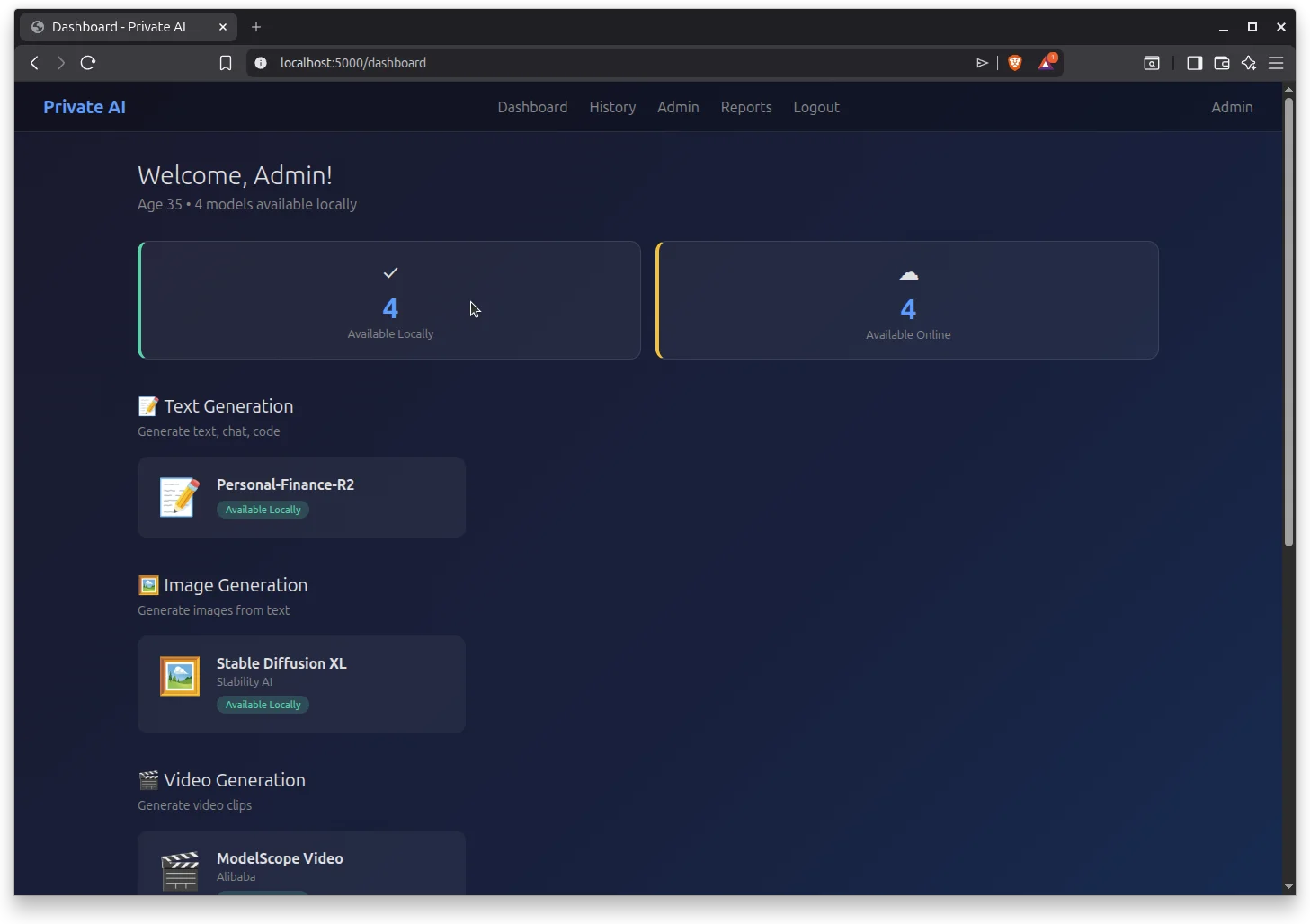
See which models are available locally vs. online, with one-click access to start generating.
Jump directly into text, image, video, or audio generation from the main dashboard.
Personalized greeting with age-appropriate content filtering automatically applied.
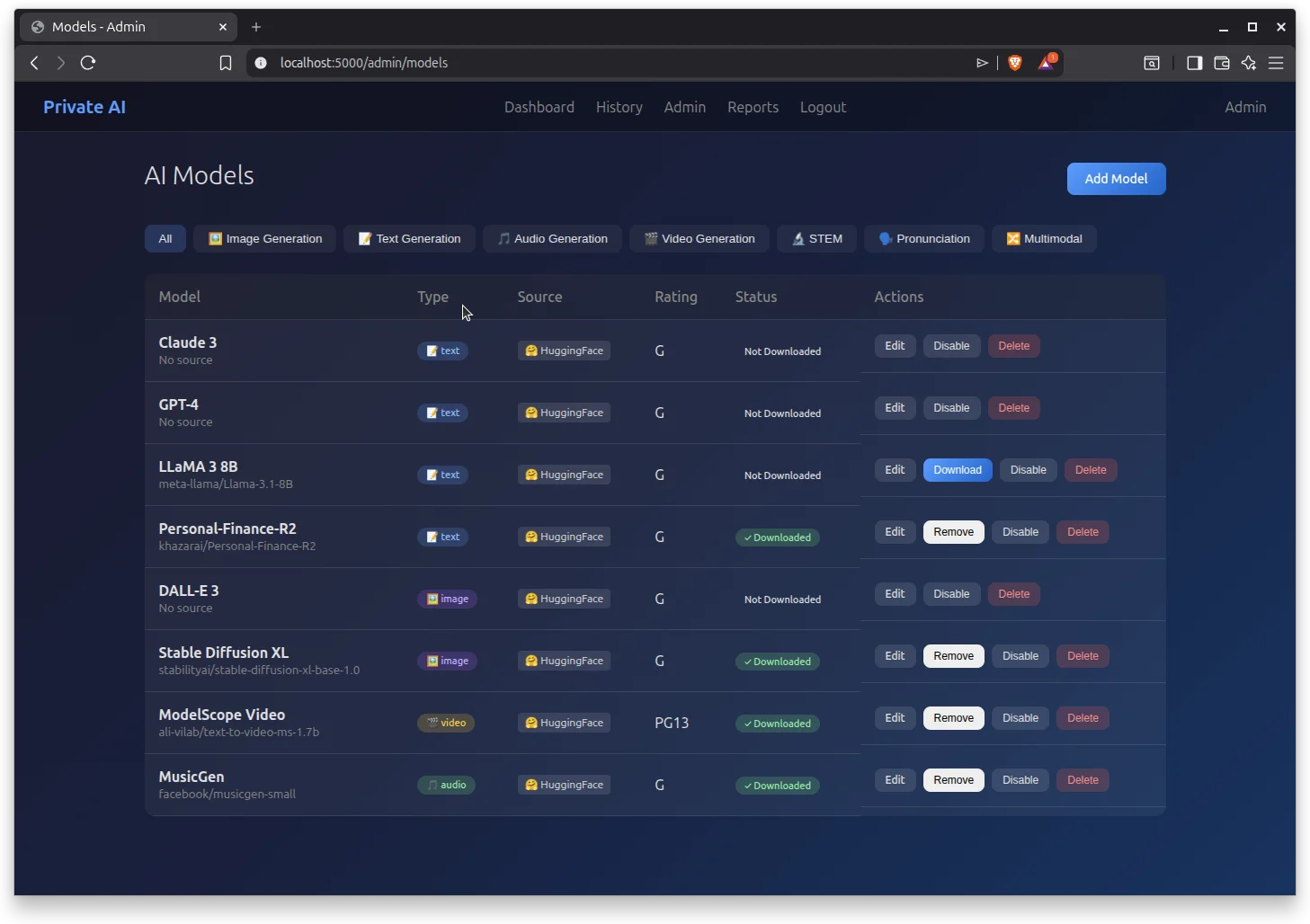
Manage your entire AI model library. Download, enable, disable, and organize models by type.
Easily filter models by category: Text, Image, Audio, Video, STEM, Pronunciation, and Multimodal.
Download models directly from HuggingFace with progress tracking, speed, and ETA.
Each model shows its content rating (G, PG13, etc.) for family-safe management.
Edit, download, remove, disable, or delete models with intuitive action buttons.
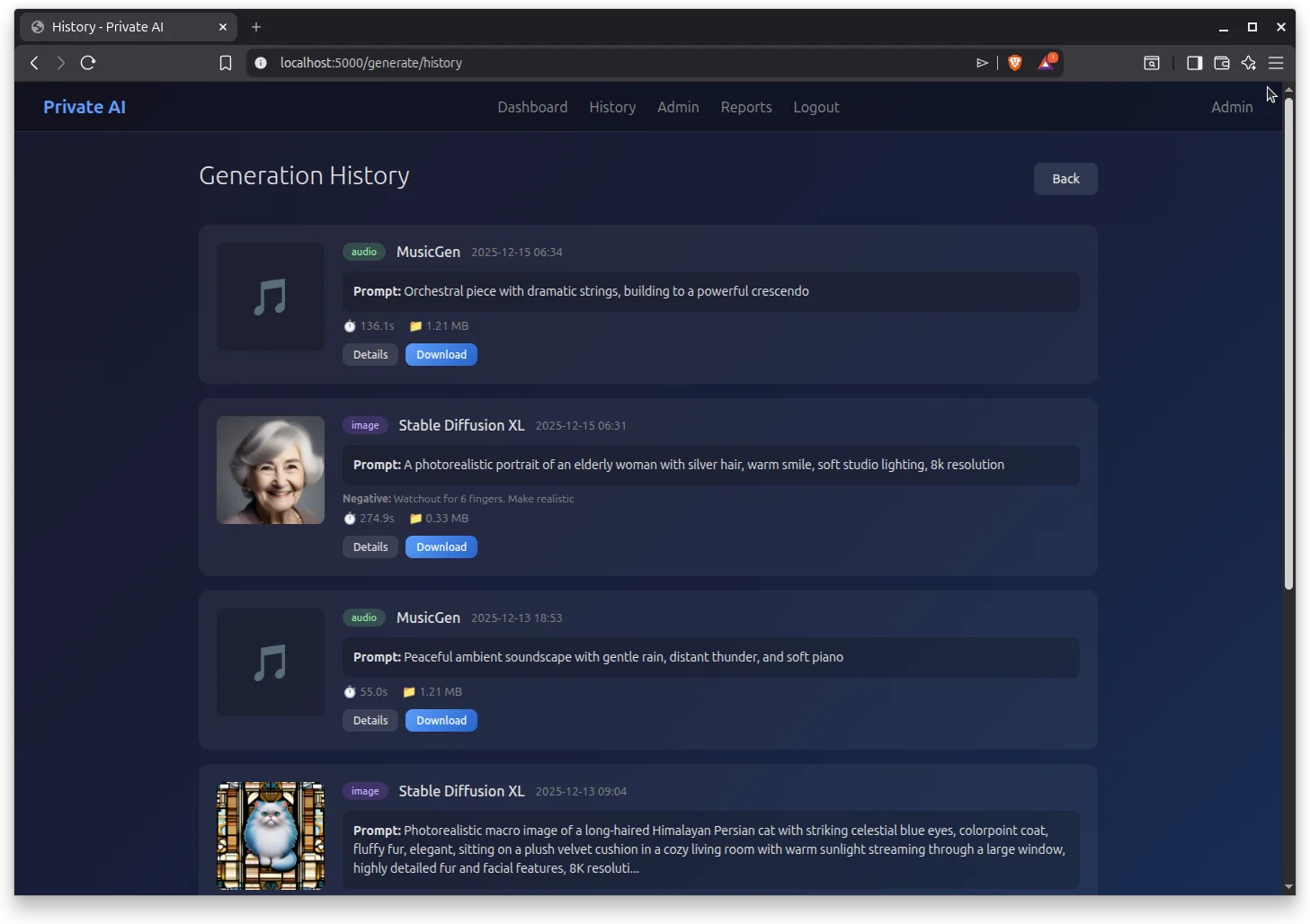
Browse all your past generations. View prompts, outputs, and download your creations.
Thumbnail previews for images, audio icons for music, and video frames for clips.
See the exact prompts used, including negative prompts for image generation.
View generation time, file size, and model used for each output.
Download any past generation with one click. Details view for more info.
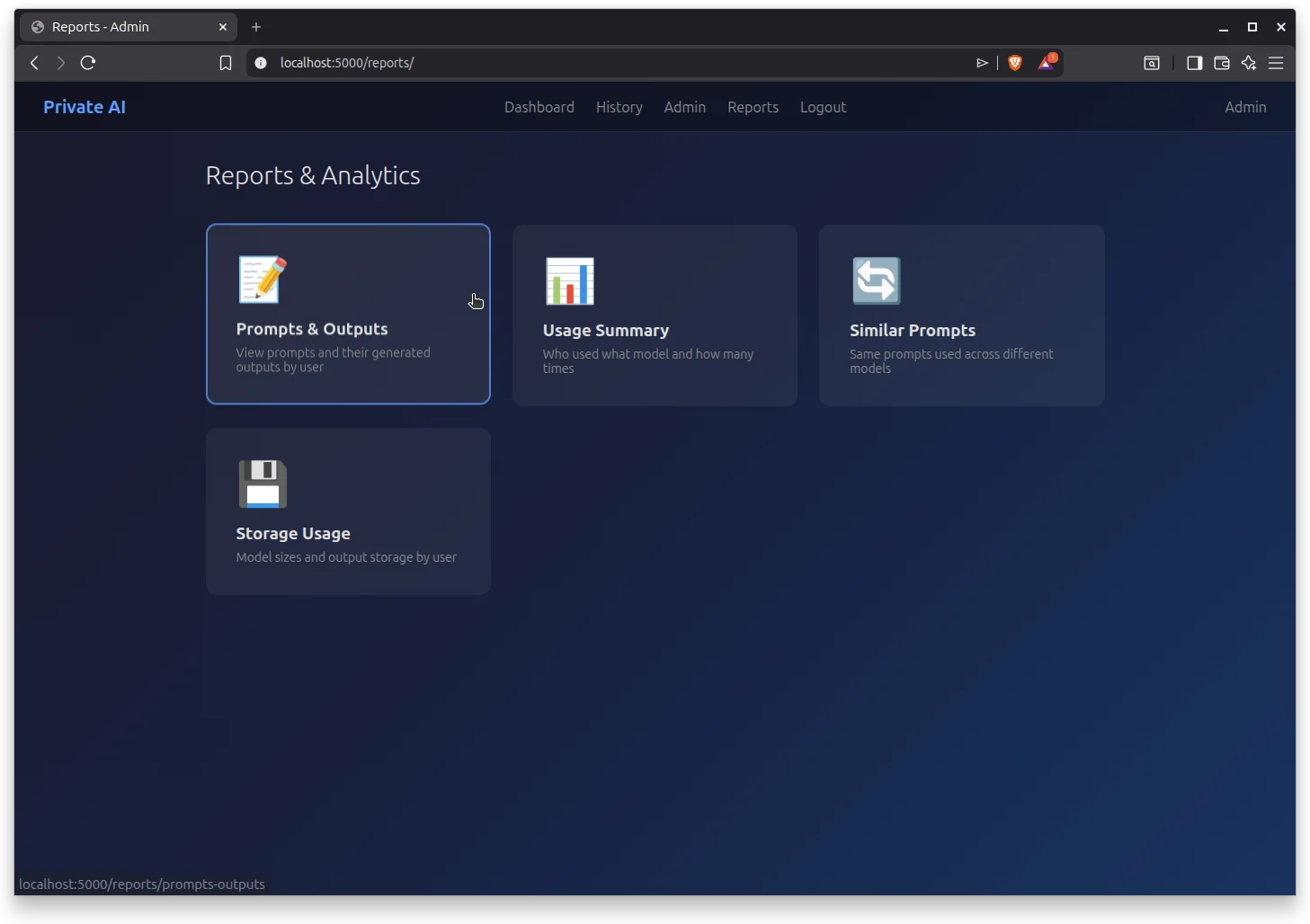
Comprehensive analytics and insights into your AI usage patterns.
View all prompts and their generated outputs organized by user.
See which models are used most and how many times by each user.
Discover when the same prompts are used across different models.
Track model sizes and output storage consumption by user.
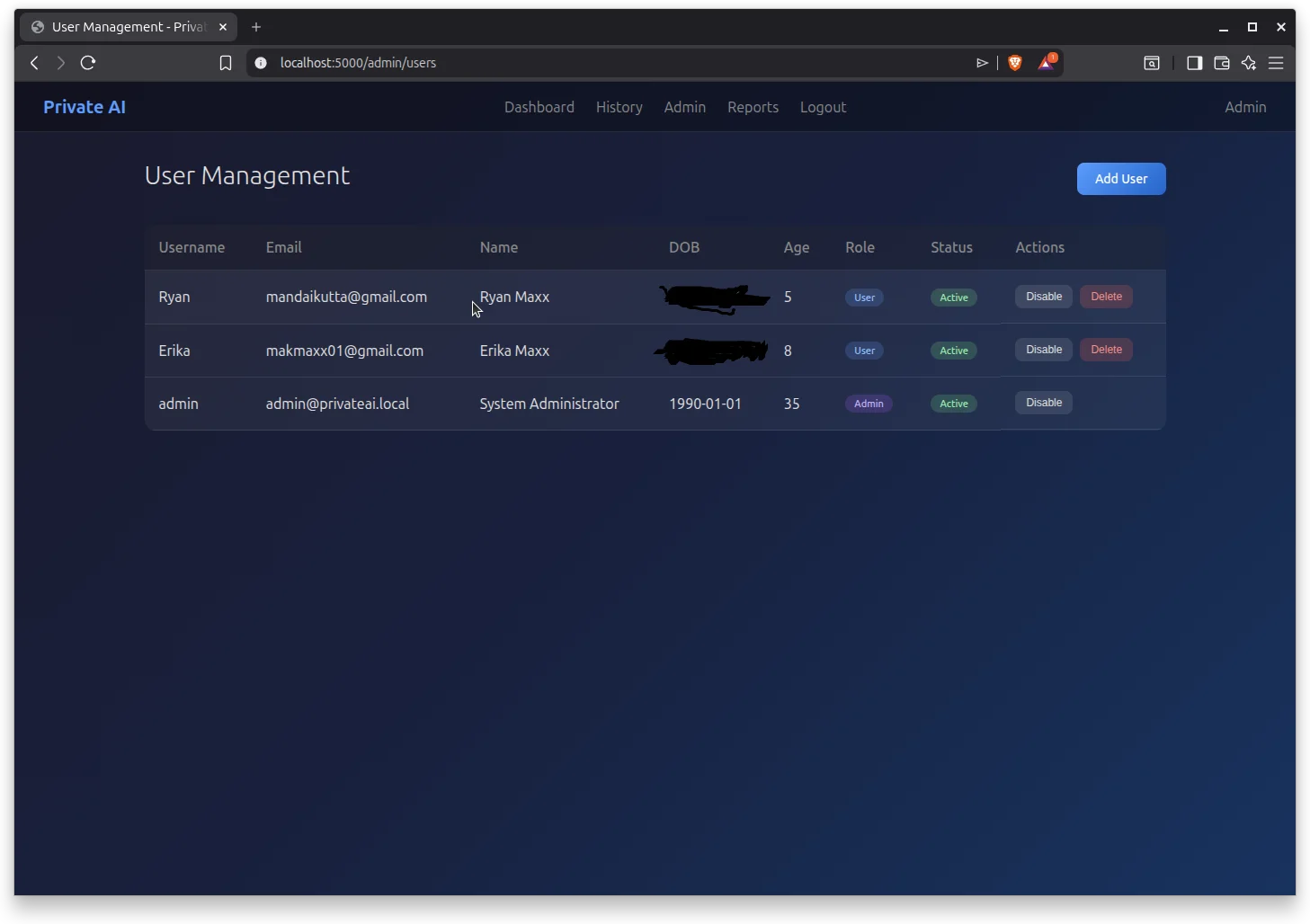
Complete user administration with role-based access and age-gated content controls.
Manage username, email, full name, date of birth, and custom avatars.
Automatic content filtering based on user age. Perfect for families.
Assign Admin or User roles with different permission levels.
Enable, disable, or delete user accounts as needed.
Get your own RunPrivate.ai system and start generating with complete privacy.